Black Friday Sale
30% OFF
On All Products & Plans
Discount Auto Applied
Days
Hours
Seconds

Want to dynamically showcase your team members in Elementor without manually editing every page?
With the Advanced Custom Fields (ACF) Repeater and AnyWhere Elementor Pro, you can display a stylish, easy-to-maintain team section that updates from one backend location.
In this tutorial, you’ll learn how to:
So here is the final look that we are looking to achieve for the team member section.

Advanced Custom Fields (ACF) is a powerful WordPress plugin that lets you add custom fields to your website content. These fields can store extra data — like team member names, job titles, images, bios, and more — giving you complete control over how content is displayed.
It’s especially useful for dynamic, repeatable content that needs to be updated regularly, such as team members, FAQs, testimonials, or service listings.
Learn more in our complete guide: Advanced Custom Fields: A Complete Guide
Add the following code in the function.php of the current child theme to create an Options Page “Company.
if( function_exists('acf_add_options_page') ) {

 acf_add_options_page(array(
  'page_title' 	=> 'Company',
  'menu_title'	=> 'Company',
  'menu_slug' 	=> 'company',
  'capability'	=> 'edit_posts',
 	'redirect'     => 'false'

 ));
}Check out our detailed article to learn about ACF Options Page.


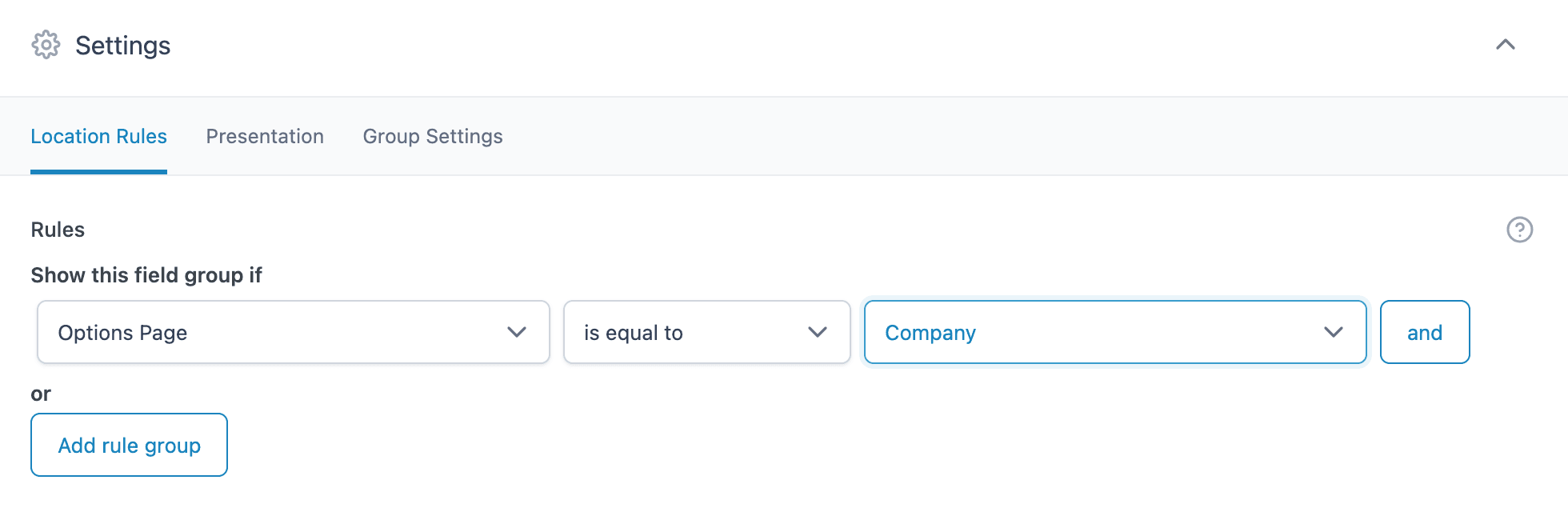
Select the Options page created to apply custom fields on it.
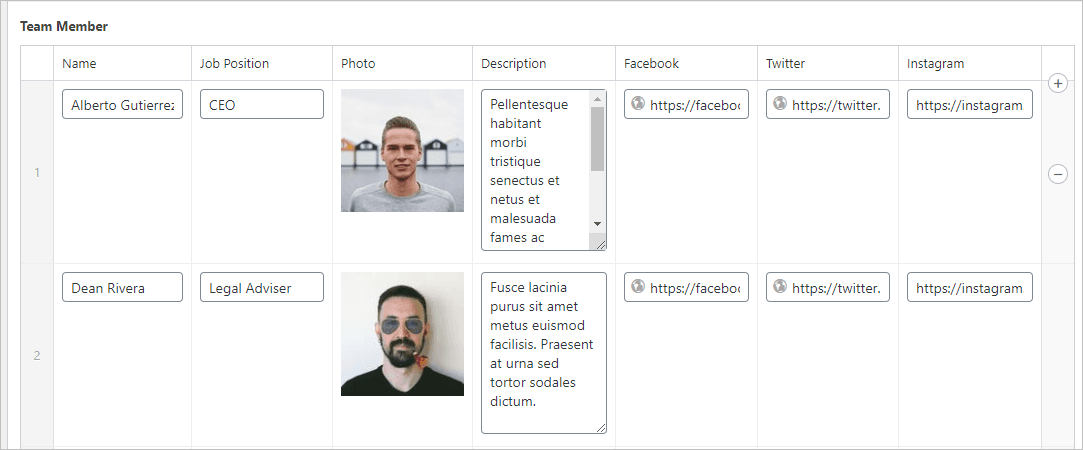

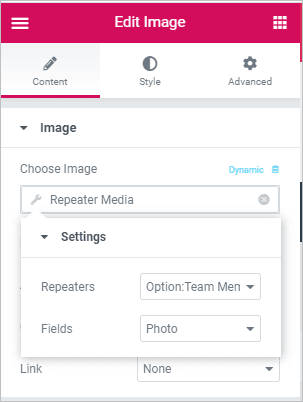
Pro Tip: Make sure to design the complete block layout in a Single Parent Section. You can use the inner section widget if required.
Use the AE – ACF Repeater widget wherever you need to and do the following configurations.
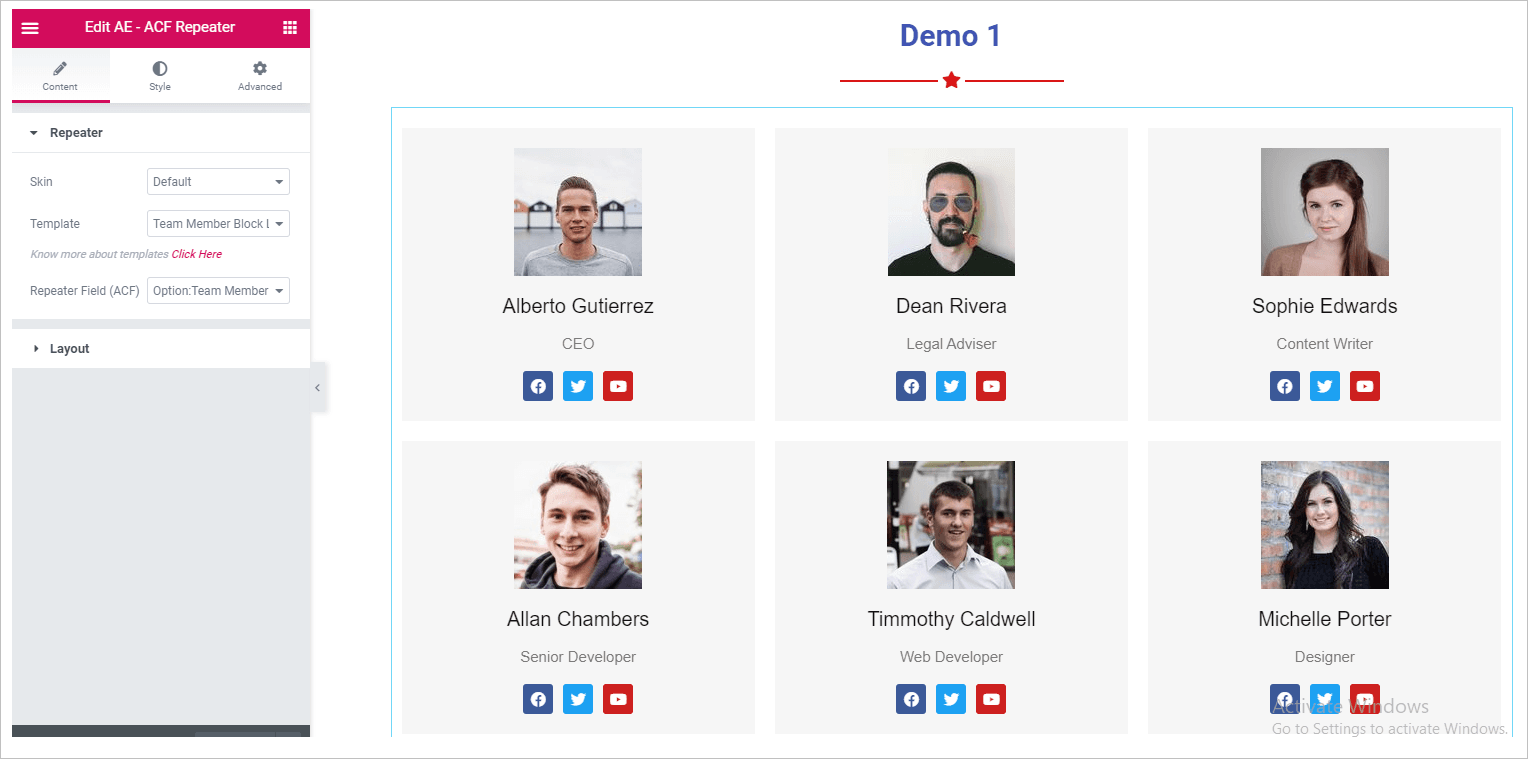
The ACF Repeater field lets you store multiple sets of related data—like team members, FAQs, or testimonials—and manage them from one place.
Absolutely! ACF Repeater fields can be used to showcase any repeating content—testimonials, FAQs, pricing plans, services, and more.
Yes, just create fields for social links (like Facebook, LinkedIn, etc.) in your Repeater and insert them dynamically in your layout.
The ACF Options Page allows you to store global content (like company info or team member data) that can be reused across your site without editing each page manually. Learn more about ACF Options Page.
You can create a custom field in ACF by navigating to ACF -> Custom Fields -> Add New, defining your field group, and attaching it to a specific post type or location. Follow this step-by-step tutorial on creating ACF custom fields.
And that’s it!
You’ve just built a fully dynamic, professional-looking Team Members section — without writing complex code or hard-coding profiles into your pages.
This setup is perfect for growing teams, as you can update everything from one place. Want to extend it further? Try creating a similar setup for testimonials, portfolios, or event speakers using ACF Repeaters and AE Pro.
You can also use our Team Member Widget to display beautifully styled static or dynamic team profiles, complete with social links, images, and bios. It works great alongside ACF and provides full control over layout and responsiveness.


